Introduction
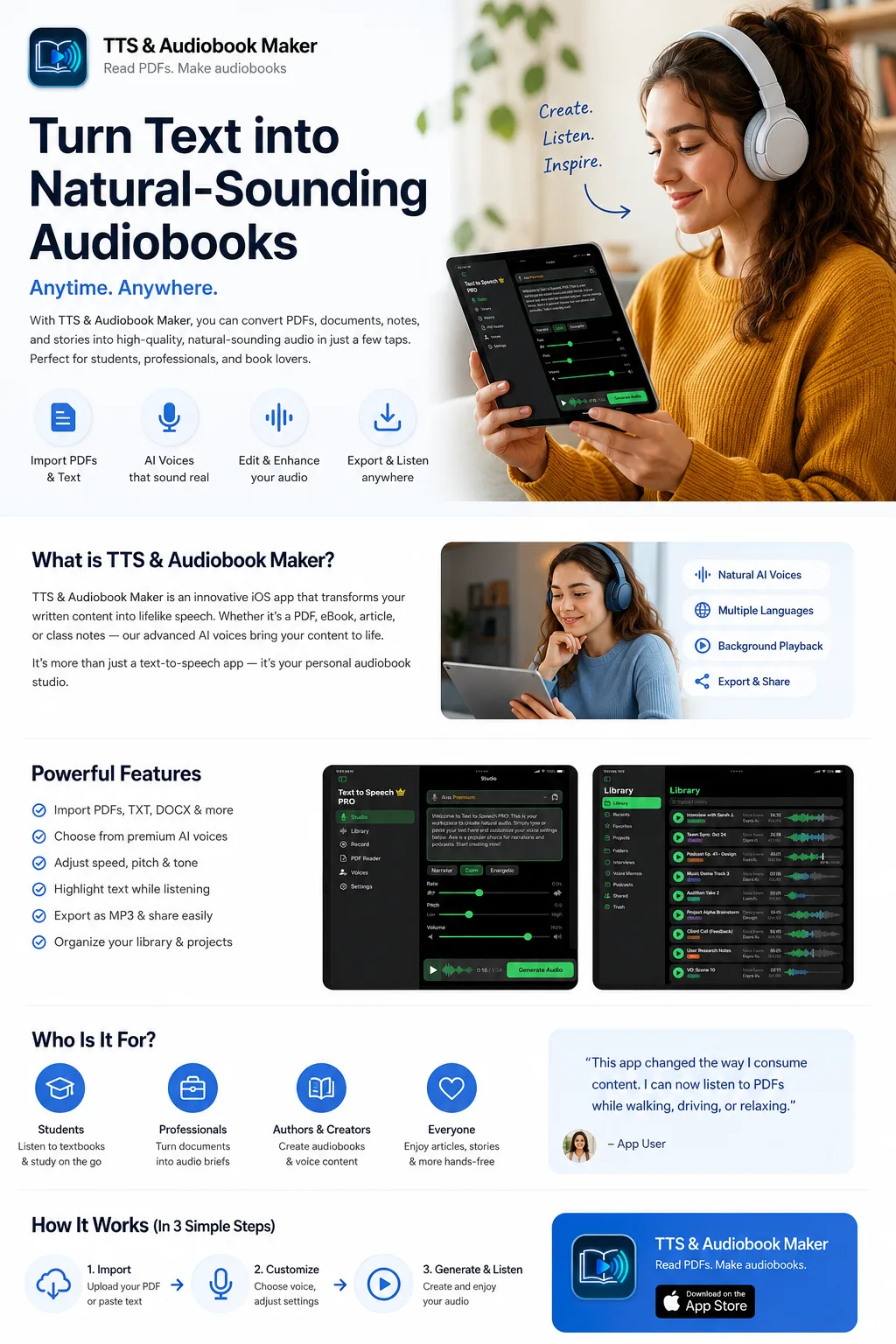
Reading long PDFs, documents, articles, and notes can take time, especially when you are travelling, working, studying, or multitasking. TTS & Audiobook Maker helps you convert written content into natural-sounding speech so you can listen instead of reading.
The app is designed for people who want a simple way to read PDFs aloud, create short audiobooks, listen to study material, turn notes into voice, and generate audio content directly on iPhone and iPad. According to the App Store listing, the app supports turning text into natural speech, reading PDFs aloud, creating audiobooks with images, and using offline Apple voices.
Whether you are a student, creator, professional, author, or someone who prefers listening, TTS & Audiobook Maker gives you a fast way to transform text into audio.
What is TTS & Audiobook Maker?
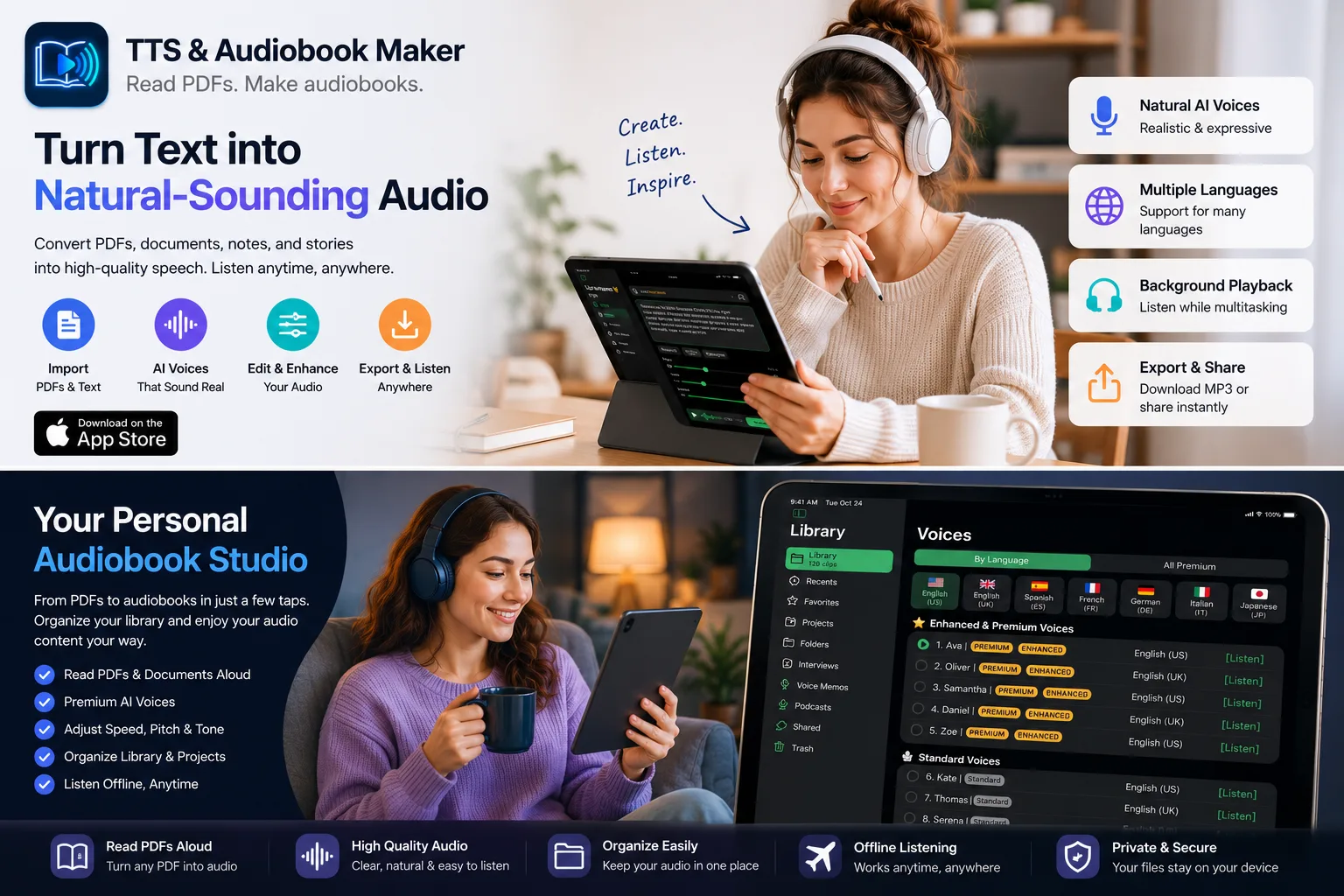
TTS & Audiobook Maker is an iOS app that converts written content into speech. You can use it to read PDFs, write or paste text, generate voice audio, and organize your listening library.
Instead of manually reading long documents, you can listen to them like an audiobook. This makes the app useful for students, professionals, writers, creators, and anyone who prefers listening over reading.
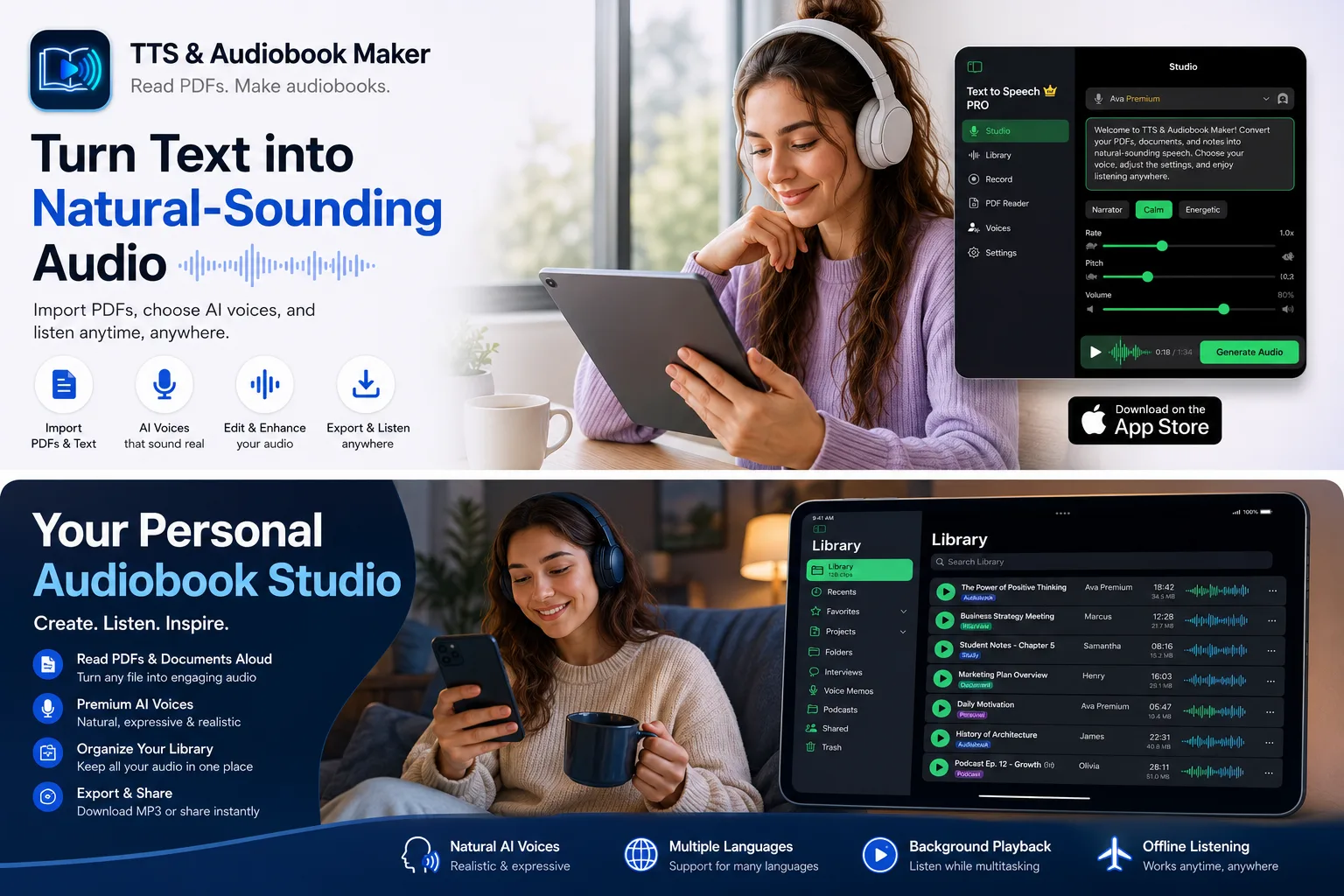
From PDFs to audiobooks in just a few taps. Organize your library and enjoy your audio content your way. Import text, choose a voice, generate audio, and listen anywhere.
Key Features of TTS & Audiobook Maker
Read PDFs Aloud
Import any PDF and convert it to natural-sounding speech. Perfect for study material, eBooks, business documents, reports, and training content.
Create Audiobooks from Text
Turn written content into audiobook-style audio. Preview how your writing sounds when spoken aloud, improve sentence flow and readability.
Natural-Sounding AI Voices
Premium AI voices that sound realistic and expressive. Choose voices optimised for audiobooks, narration, study material, or presentations.
Voice-Over Creation
Type a script, generate speech, and use the audio for personal projects, study content, presentations, or social media narration.
Organize Your Library
Keep all your generated audio clips organized in a library-style interface. Manage multiple audio projects and access your content anytime.
Multiple Languages
Support for 50+ languages with natural pronunciation. Listen to content in English, Spanish, French, German, Hindi, Japanese, and more.
Who Should Use TTS & Audiobook Maker?
Students
Convert notes, PDFs, and study material into audio for revision and exam prep.
Professionals
Listen to reports, summaries, and meeting notes instead of reading manually.
Writers & Authors
Listen to drafts, catch awkward sentences and flow issues.
Content Creators
Generate voice-over drafts for videos, reels, and tutorials.
Audio Learners
Understand better by hearing information rather than reading it.
Accessibility
Access written content through natural audio for visual impairments.
How TTS & Audiobook Maker Works
Import or Paste Text
Start by adding your content. This can be a PDF, written note, story, article, or script. Import PDFs directly or paste text from any source.
Choose a Voice
Select the voice style that matches your content. A calm voice works better for audiobooks, while a clearer narrator-style voice works better for study notes or presentations.
Generate Audio
Customize speed, pitch, and tone to your preference. The app creates the voice output quickly, and you can preview how it sounds before saving.
Listen or Export
Play back in the app with background audio support, or export as MP3 to share, save to Files, or use in other projects and workflows.
Best Use Cases
📄 Convert PDFs into Audio
Perfect for long PDFs you don't want to read manually on a small screen.
📝 Make Study Notes Easier to Revise
Listen to important notes repeatedly before exams while walking or commuting.
📖 Create Audiobook-Style Narration
Turn stories, novels, or long-form blog posts into audiobook-quality narrated audio.
🎙 Generate Voice-Over Drafts
Test scripts before recording your own voice or use generated narration for videos.
🏃 Listen While Multitasking
Consume content while walking, travelling, exercising, cooking, or resting your eyes.
📧 Review Documents Faster
Listen to reports, emails, and proposals at 1.5x or 2x speed for quick review.
Why Use a Text-to-Speech App Instead of Reading Manually?
Reading is powerful, but listening gives flexibility. A text-to-speech app helps users save time and reduce screen fatigue.
| Reading Manually | Using TTS & Audiobook Maker |
|---|---|
| Requires full attention on screen | Listen hands-free while doing other tasks |
| Eye strain from long reading sessions | Rest your eyes and listen comfortably |
| Difficult while commuting or walking | Perfect for on-the-go listening |
| Fixed reading speed | Adjust speed from 0.5x to 2x |
| Cannot share content as audio | Export and share MP3 files |
| Single format (visual only) | Create an audiobook-style library |
Optimised for iPhone and iPad
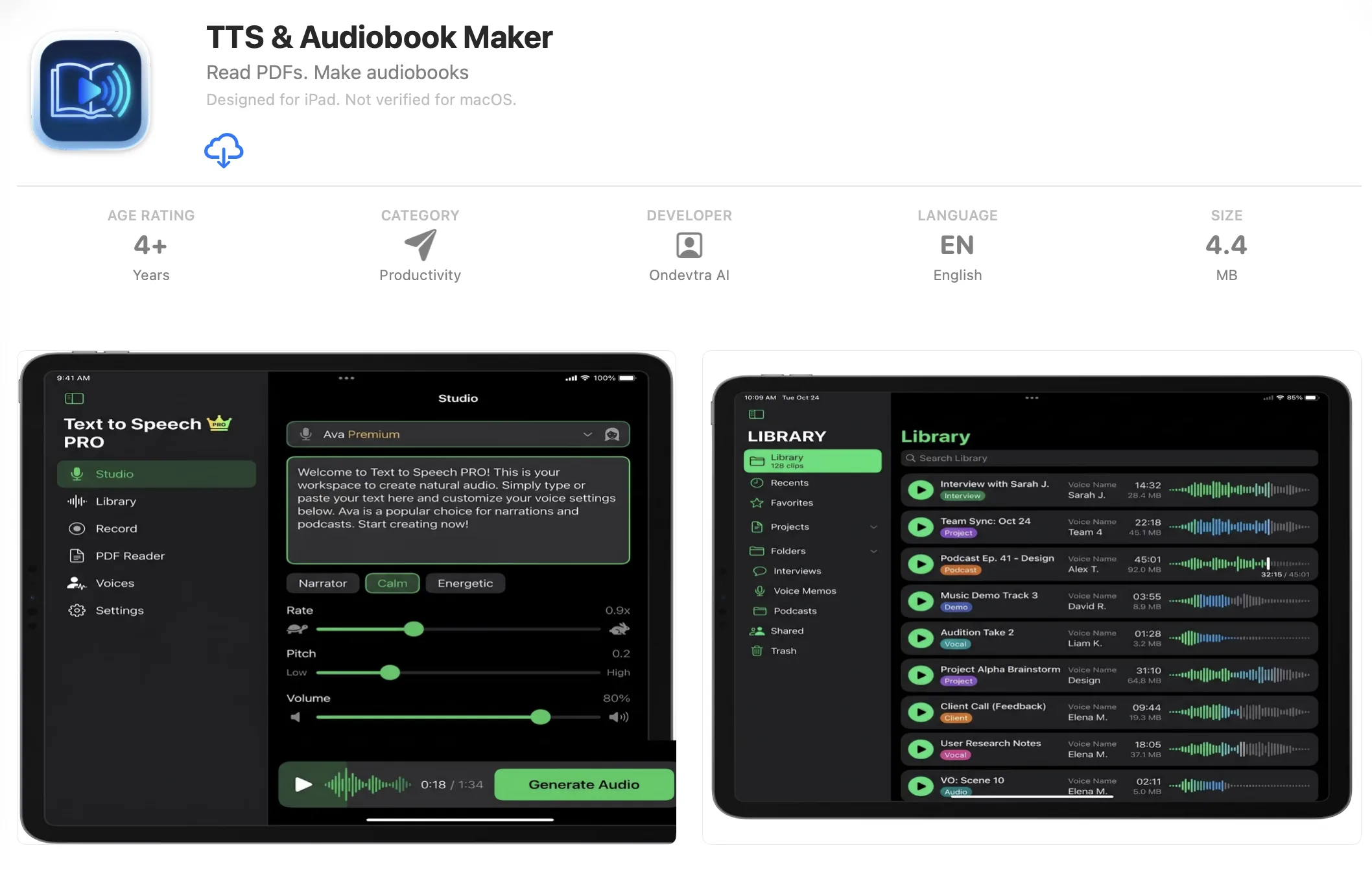
TTS & Audiobook Maker is especially strong on iPad because PDF reading, document management, and content creation are already common iPad workflows. The app features a tablet-friendly interface with a studio screen, library screen, PDF reader, and voice selection panel.
A personal audio studio for PDFs, notes, and audiobooks. Turn your iPad into a text-to-speech workstation with a full audiobook library, premium voices, and easy export.
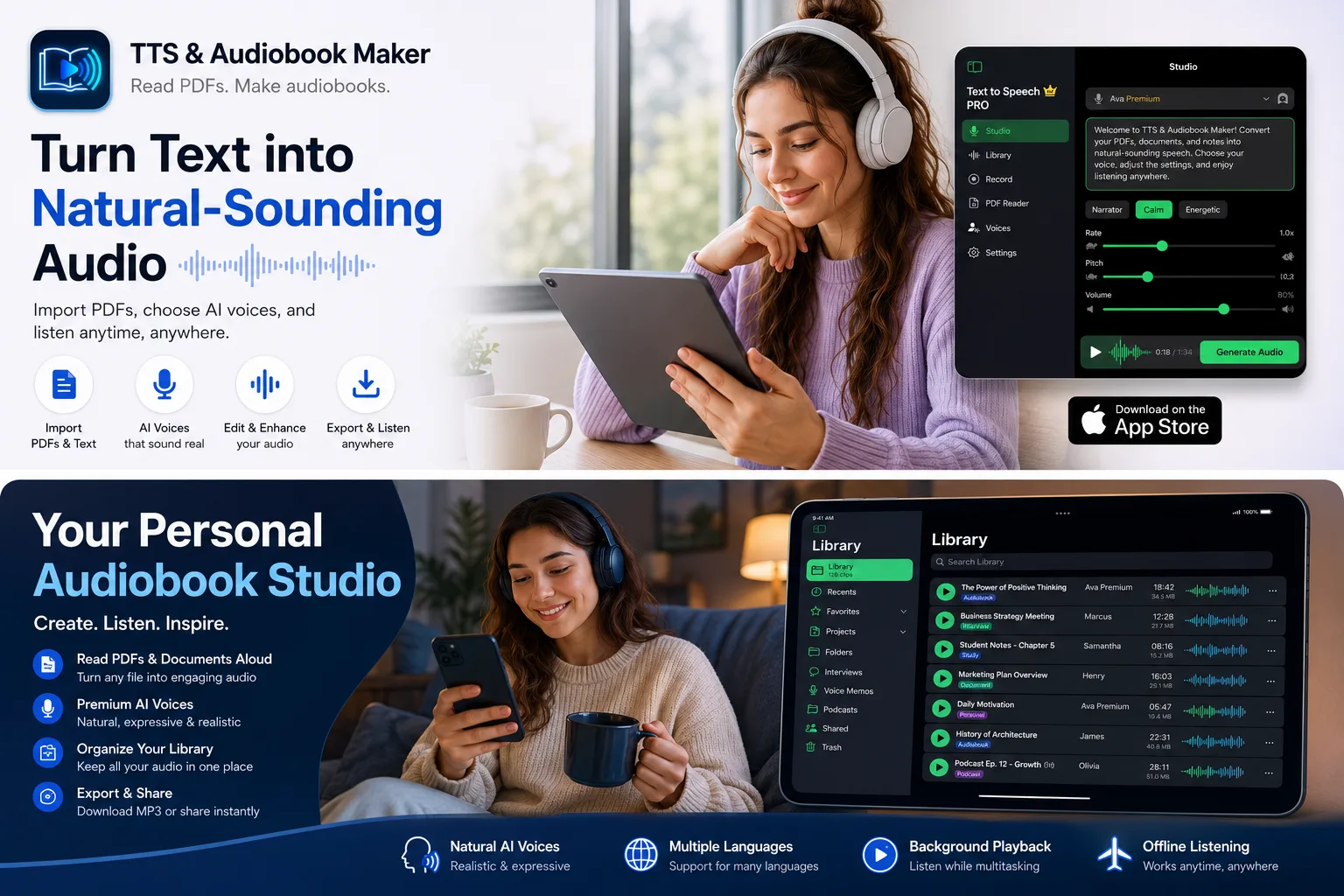
Powerful Features at a Glance
- Import PDFs, TXT, DOCX & more — bring any text document into the app
- Choose from premium AI voices — natural, expressive, and realistic
- Adjust speed, pitch & tone — customise the audio to your preference
- Highlight text while listening — follow along visually as the app reads
- Export as MP3 & share easily — save to Files or share via AirDrop, Messages
- Organize your library & projects — manage all your audio in one place
- Background playback — keep listening while using other apps
- Offline Apple voices — generate audio without an internet connection
- Multiple languages support — 50+ languages with natural pronunciation