Your Smart Travel Companion
Travelling to a country where you don't speak the language can feel intimidating. Ordering food, reading street signs, asking for directions, or having a conversation with a local — these everyday moments become barriers when there's a language gap.
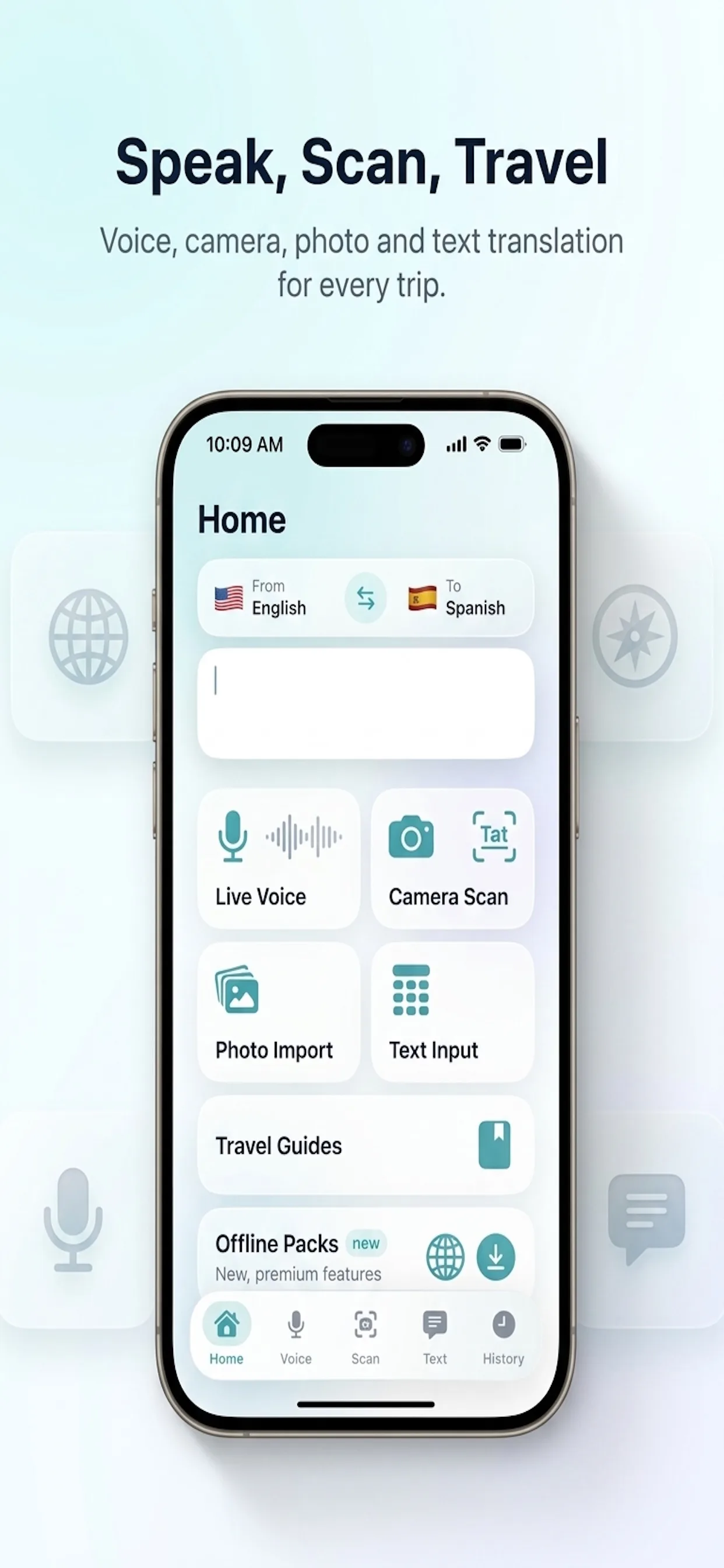
Travel Translate: Voice & Photo solves this by giving you four powerful translation modes in one app: speak and hear translations instantly, point your camera at signs and menus, import photos to translate text, and type or paste text for quick translations. All in 100+ languages, right on your iPhone or iPad.
Whether you are backpacking through Southeast Asia, on a business trip to Tokyo, exploring markets in Morocco, or reading a French restaurant menu — this app is your pocket translator that works anywhere in the world.
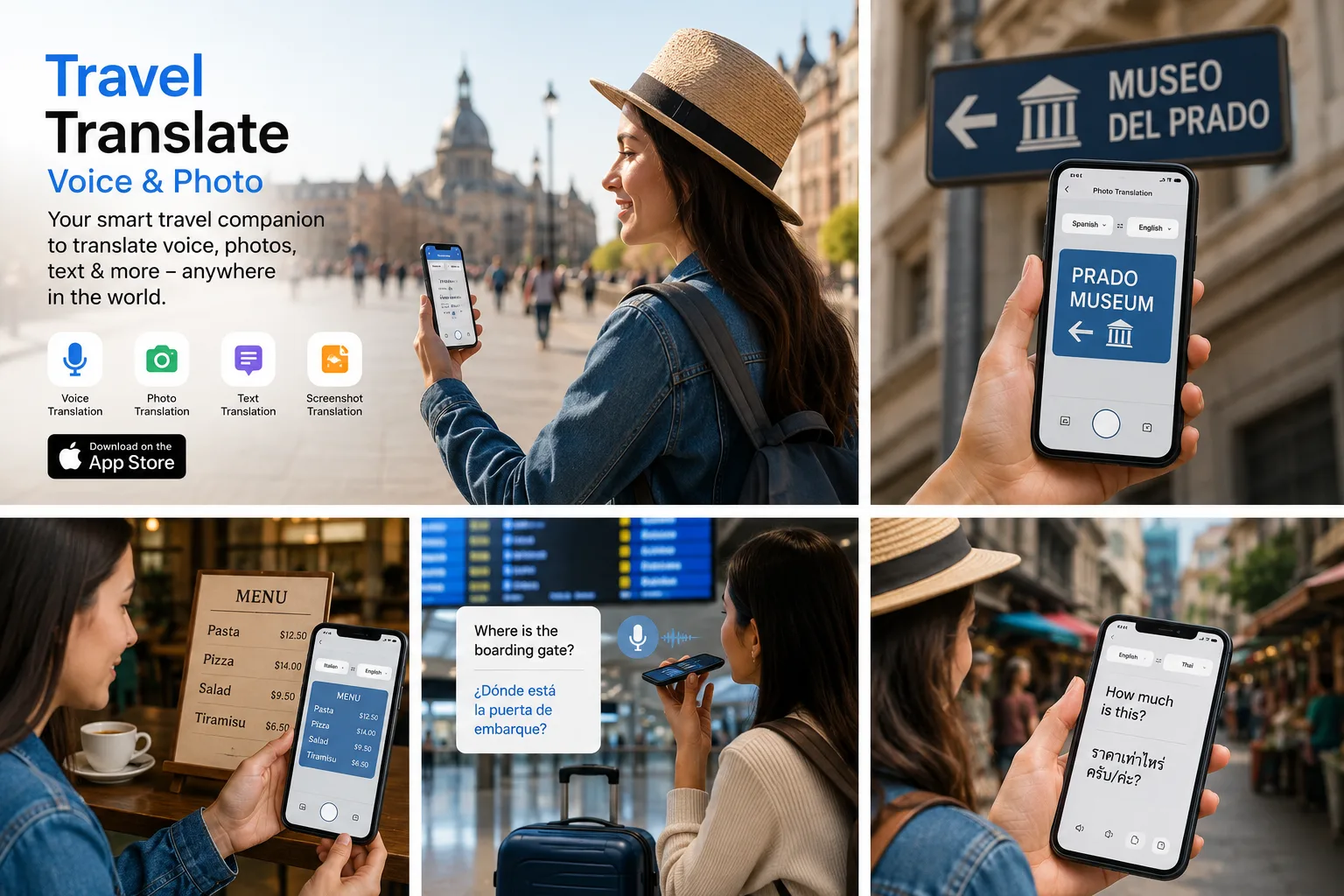
What is Travel Translate: Voice & Photo?
Travel Translate is an iOS app designed specifically for travellers. It combines voice translation, camera scanning, photo import, and text translation into a single, easy-to-use interface.
Unlike generic translation apps that feel like dictionaries, Travel Translate is built for real-world travel situations: asking for directions at an airport, reading a menu in a foreign language, having a conversation with a taxi driver, or understanding a sign at a train station.
Live Voice Translate — Speak and hear translations instantly.
Live Overlay Scan — Point your camera at text for real-time translation.
Import Photo — Translate text from any photo in your gallery.
Translate Text — Type or paste text for quick translations.
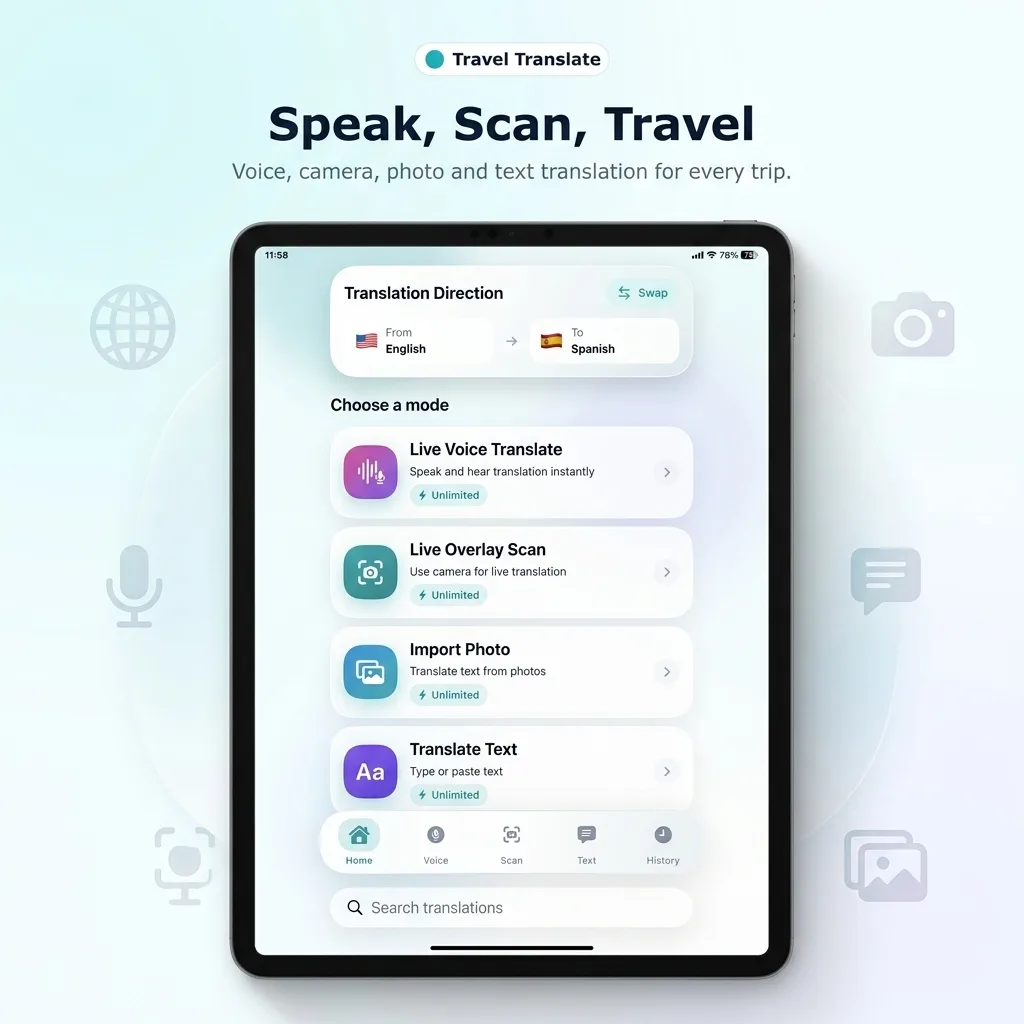
Key Features
Live Voice Translation
Tap the microphone and speak naturally. The app recognises your speech, translates it instantly, and speaks the translation aloud. Perfect for two-way conversations.
Live Camera Scan
Point your camera at any sign, menu, label, or document. The translation overlays on screen in real-time — no photo needed, just point and read.
Photo Import Translation
Import any photo from your gallery to extract and translate text. Great for screenshots, receipts, documents, or photos you took earlier.
Text Translation
Type or paste any text for instant translation. Includes pronunciation guides and the ability to listen to translations spoken aloud.
Conversation Mode
Two-way conversation translation. Each speaker takes turns — the app translates and speaks both sides, like having a personal interpreter.
100+ Languages
Spanish, French, German, Japanese, Korean, Chinese, Arabic, Hindi, Thai, Vietnamese, Russian, Portuguese, Italian, and dozens more.
Offline Packs
Download language packs for offline use. Essential when travelling without reliable internet or when data is expensive abroad.
Travel Guides
Built-in travel phrase guides with common sentences for airports, hotels, restaurants, shopping, emergencies, and everyday conversations.
How Voice Translation Works
Choose Languages
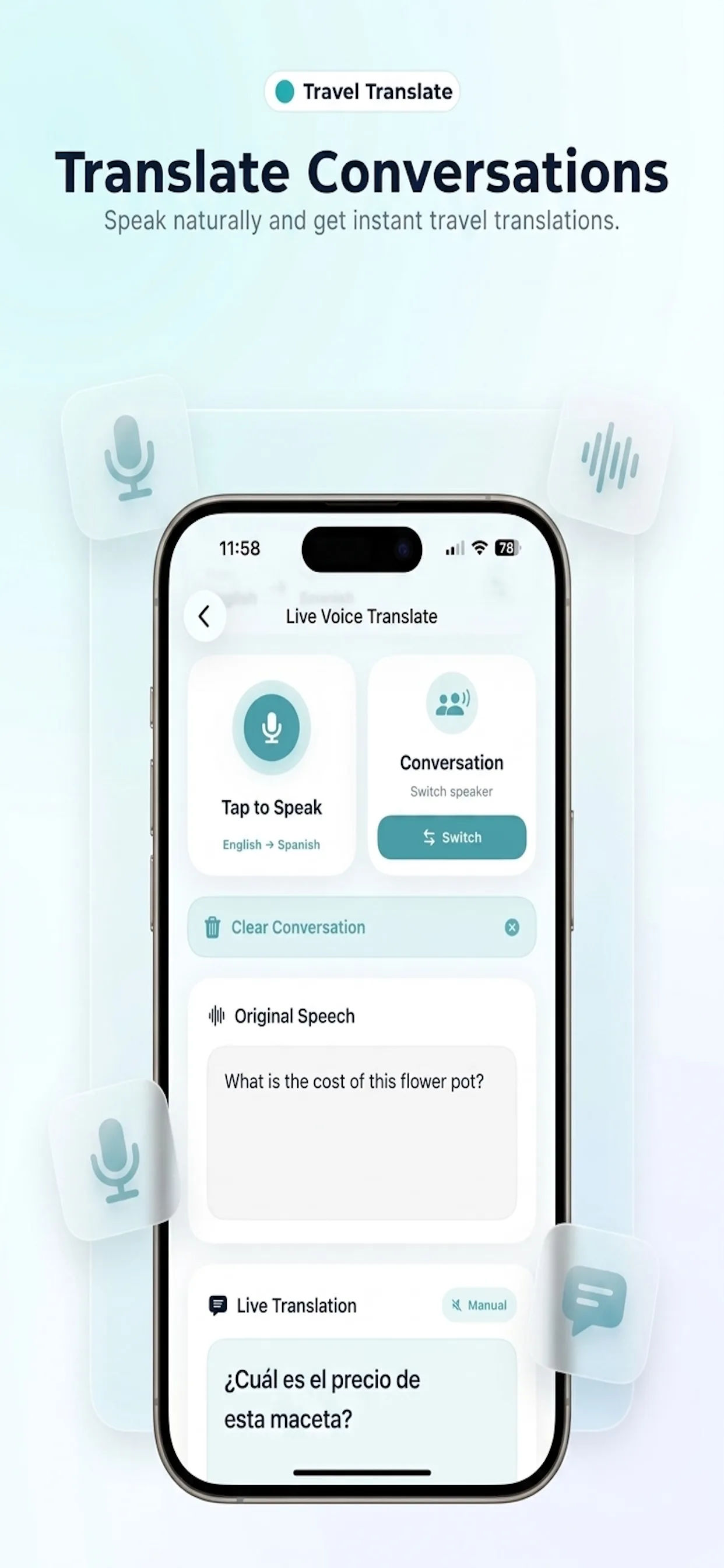
Set your source language (e.g., English) and target language (e.g., Spanish). Tap Swap to quickly reverse the direction.
Tap to Speak
Tap the microphone and speak naturally. Say "What is the cost of this flower pot?" and the app immediately recognises your speech.
Hear the Translation
The app translates your speech and displays both the original and translation: "¿Cuál es el precio de esta maceta?" — spoken aloud so the other person can understand.
Switch Speakers
In Conversation mode, tap Switch so the other person can respond in their language. The app translates their reply back into your language.
Camera & Photo Translation
One of the most useful features for travellers is camera translation. Instead of typing foreign text manually, just point your camera or import a photo.
Live Overlay Scan
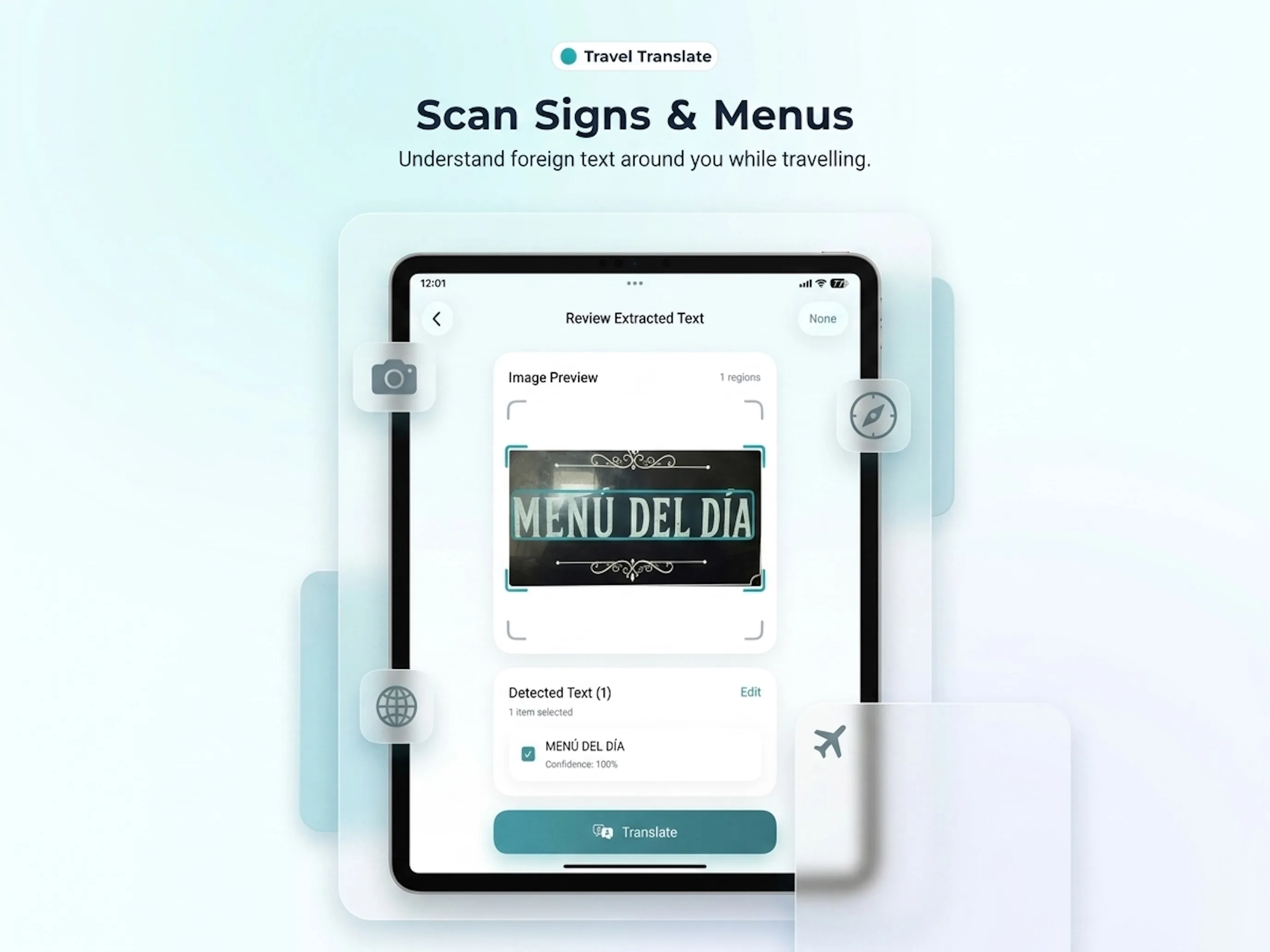
Open the camera, point it at a sign, menu, price tag, or any text. The app detects text regions, extracts them with high confidence (often 100%), and shows the translation immediately. No need to take a photo first — it works in real-time.
Import Photo
Already took a photo of a menu or street sign? Import it from your photo library. The app scans the image, identifies text regions, and translates them. You can review extracted text before translating, edit if needed, then get your translation.
Point your camera at a restaurant menu in any language. See the translation immediately on screen. No more guessing what you are ordering — understand every dish, ingredient, and price before you commit.
Who Should Use Travel Translate?
International Travellers
Navigate foreign countries with confidence. Read signs, order food, ask directions.
Business Travellers
Communicate with international colleagues, read documents, navigate airports.
Language Learners
Practice pronunciation, learn new words in context, and understand real-world text.
Families Abroad
Travel with kids without language stress. Understand everything around you instantly.
Backpackers
Offline packs for areas without internet. Essential for remote travel destinations.
Expats & Immigrants
Navigate daily life in a new country. Read official documents, talk to neighbours, understand forms.
Real Travel Scenarios
🍽 Ordering at Restaurants
Scan the menu with your camera. Understand dishes, ingredients, and prices before ordering.
🚌 Navigating Transport
"Where is the boarding gate?" — speak your question and hear it in the local language instantly.
🛍️ Shopping & Bargaining
"How much is this?" — ask in any language. Understand the reply. Negotiate confidently.
📑 Reading Signs & Labels
Street names, museum descriptions, warning signs, product labels — camera scan translates them all.
🏦 At Hotels
Check-in conversations, room service requests, concierge questions — all handled via voice mode.
🚑 Emergencies
Medical situations, asking for help, explaining symptoms — when clear communication matters most.
Why Travel Translate vs Other Translation Apps?
| Feature | Travel Translate | Generic Translators |
|---|---|---|
| Live voice conversation mode | Two-way with speaker switch | Basic single direction |
| Camera overlay (real-time) | Live overlay on screen | Photo-based only |
| Travel-specific design | Built for travel scenarios | General purpose |
| Offline translation packs | Downloadable per language | Often requires internet |
| Travel phrase guides | Built-in for common situations | Not included |
| Translation history | Searchable history tab | Limited or none |
Supported Languages (100+)
Travel Translate supports all major world languages plus dozens of regional languages:
- Europe: Spanish, French, German, Italian, Portuguese, Dutch, Polish, Swedish, Norwegian, Danish, Finnish, Greek, Czech, Romanian, Hungarian, Ukrainian, Croatian, Bulgarian
- Asia: Japanese, Korean, Chinese (Simplified & Traditional), Hindi, Thai, Vietnamese, Indonesian, Malay, Filipino, Burmese, Khmer, Bengali, Tamil, Telugu, Urdu
- Middle East & Africa: Arabic, Turkish, Hebrew, Persian, Swahili, Amharic, Yoruba
- Americas: Brazilian Portuguese, Latin American Spanish, Haitian Creole, Quechua
Designed for iPhone and iPad
Travel Translate works beautifully on both iPhone and iPad. The iPhone version is perfect for on-the-go translation while walking, shopping, or talking with locals. The iPad version takes advantage of the larger screen for photo translation, camera scanning, and side-by-side conversation view.
One-hand operation on iPhone. Large tap targets, clear text, and fast response — designed for moments when you need a translation immediately, not after navigating three menus. iPad gives you a spacious workspace for photo translation and document scanning.